




Table of Contents
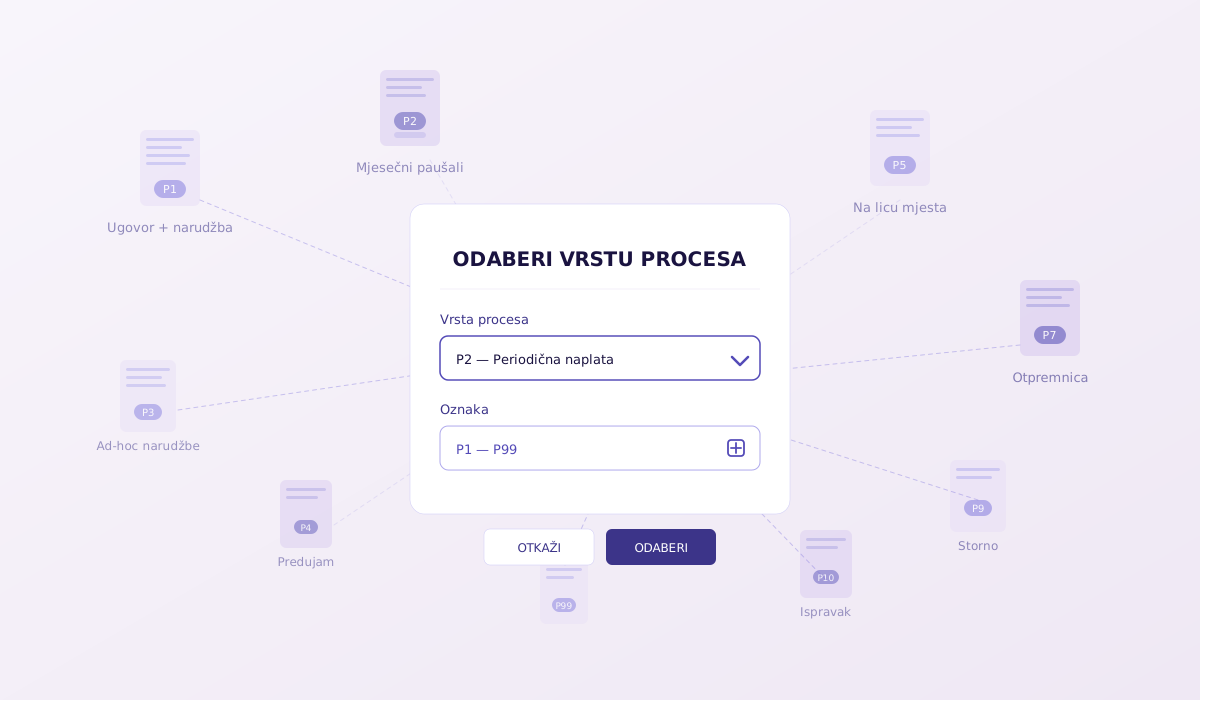
If you have recently prepared or sent an e-invoice, you have probably noticed a dropdown menu named “Process Type” and labels like P1, P2, P3… all the way up to P12 and P99. The first reaction of most entrepreneurs is a slight panic and the question: “Which of these should I click?”
Don’t worry. Behind these “P” labels lie legally defined models of payment and delivery. An e-invoice must contain this label so that the tax authority and your customer know exactly on what basis the invoice is issued and how it is billed.
To save you from wasting time guessing, we bring you a clear and quick cheat sheet for each process type in the application.
Most Common Process Types (Contracts and Orders)
You will use these three labels in the vast majority of everyday business situations:
P3 – Billing of deliveries via unplanned orders: The client called or emailed you, ordered something on a one-off basis (ad-hoc), you do not have a long-term contract, and the order was unplanned.
P1 – Billing of goods and services delivery via orders based on a contract: Select this when you have an official contract with the client, and they send you a specific purchase order for each individual delivery.
P2 – Periodic billing of deliveries based on a contract: The gold standard for recurring monthly services (e.g., rent, bookkeeping, monthly flat rates). You have a contract and send an invoice every month without the need for new purchase orders.
2. Payment Model and Timing (P4, P5, P6)
These labels specify when and how the payment takes place in relation to the delivery itself:
P6 – Payment before delivery based on an order: The case when the customer must first pay the invoice (often based on a quote/order), and the delivery of goods or services starts only after the payment is visible.
Advance payment (Down payment): Use this label for an Advance Payment Invoice, which you are legally required to issue only after receiving payment from the client for goods or services that are yet to be delivered. (Note: If you are only requesting payment from the client, you send them a Quote/Proforma Invoice, not an e-invoice with this label).
P5 – Payment on the spot: Used for quick transactions where payment is made immediately at the point of sale (or at the time of pickup).
3. Delivery Notes and Corrections (P7 to P10)
When the invoice is directly linked to warehouse documents or when you need to fix an error:
P10 – Billing correction: If you noticed an error on an already sent invoice, this process type is used to create a corrective invoice to fix the data.
P7 – Invoices with reference to a delivery note and confirmation of receipt: Choose this when you issue an invoice after the service is rendered or goods delivered, and the customer has signed a general confirmation of receipt.
P8 – Invoices with reference to a delivery note and confirmation of goods receipt: Specific to trade and warehouses – the invoice links directly to a specific warehouse delivery note and a document proving that the goods were physically received.
P9 – Credit note or negative billing: Use this when issuing a financial credit note (credit advice) or reducing the amount the client needs to pay (the so-called “storno” of the whole or part of the invoice). Important note: In the fiscalization system, you cannot simply delete an incorrect invoice. You must issue a new storno/credit invoice (P9) to cancel the previous one.
4. Specific Processes (P11, P12, and P99)
P99 – Other unspecified processes: This is your “wildcard”. If your business situation cannot be fitted into any of the boxes from P1 to P12, you choose P99 as the label for a non-standard process.
P11 – Partial and final billing: Used for larger or longer-term projects (e.g., in construction or IT) where you first send the client invoices for individual phases of work (partial billing), and a final invoice at the end (final billing).
P12 – Self-billing: A situation where your customer (client) actually issues an invoice to themselves on your behalf (a common case in agriculture for buyouts or with specific agency contracts).
Important: Sending to Citizens (B2C) and Abroad
Although the law currently allows sending a PDF via email to private individuals and foreign clients, keep in mind that invoices paid by cash or cards must still be fiscalized in real time. Also, if you work with B2B clients in the EU, check their local laws as many countries are transitioning to mandatory structured e-invoices.
How to choose in practice? (A quick cheat sheet)
Next time you issue an e-invoice, just ask yourself:
- Is it a standard monthly work? Click P2.
- Is it a one-off, sudden order? Click P3.
- Are you refunding money or fixing an error? Choose P9 or P10.
Now that you have everything defined in one place, selecting the process type in the application will become a matter of habit and will take you just two seconds!
Table of Contents